
Simulate GPS Navigation Indoors and Outdoors
Use our Digital Wayfinding System to help customers, shoppers, or visitors navigate seamlessly around your building, campus, or complex. Using a smart routing algorithm and dictated walkable paths, our solution works like indoor GPS, showing users the most direct paths and automatically calculating detours if a lift is out of service or if a walkway is closed.
In addition, the solution is completely customisable to align with your brand aesthetics and specific functional needs. Display the latest public transport timetables, feed live announcements, or collect customer feedback via surveys — the possibilities are endless.

Where You Can Use It

Hospitals
Help visitors and patients quickly find their destination. Users can search by ward, department, clinic, or specialist.

Shopping Centres
Let shoppers locate stores across multiple levels or buildings. Sales, promotions, and directories can be accessed directly from the kiosk.
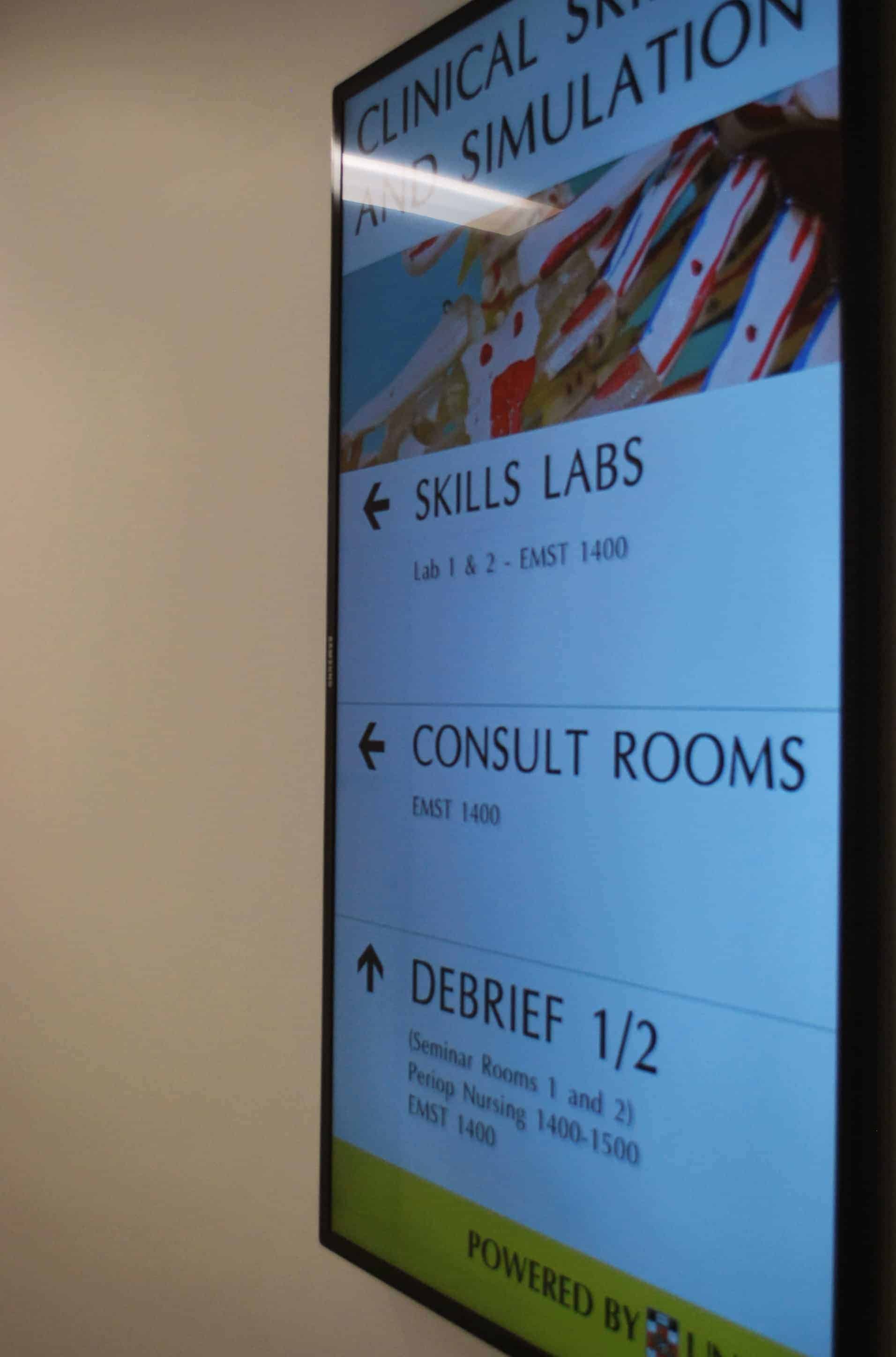
Universities
Help students and visitors navigate massive university campuses with multiple faculty buildings, maps, and schedules.
Key Features
Dictated Walkable Paths
Our routing uses an advanced algorithm to trace paths inside, outside, or between buildings. If a path is blocked, you can reroute with a few clicks.
Smart Routing Algorithm
Built using the latest web technologies, matching the robust routing frameworks found in GPS navigation systems like Google Maps.
Multiple Search Options
Create customised search options tailored to your environment, such as by store name, department, specialist, or location ID.
Quick Highlighting
Add quick highlight buttons to immediately show visitors key landmarks on the map (such as toilets, lifts, or emergency exits).
Custom Branding
Incorporate your custom brand identity by adapting the design system, including typography, colours, logos, and UI layout.
Multiple Languages
Enable translation into multiple languages to support international visitors, maintaining their preference for their entire session.
Other Sectors We Serve
Interactive kiosk routing for massive convention floors and sponsor stands.
Help guests navigate properties, locate dining options, or explore amenities.
Interactive directory boards linking elevators, offices, and boardrooms.
Show passengers paths to gates, baggage claims, lounges, and facilities.
Guide fans to specific ticket gates, seating sections, dining, and shops.
Expand Kiosks with Add-on Modules
News & Communication
Display live news updates, announcements, and notices directly on the kiosk for visitors to browse.
Bus & Train Timetables
Integrate real-time public transport schedules to add high-value utility for visitors leaving your venue.
Feedback Surveys
Gather real-time customer and client satisfaction data with interactive surveys directly on the screens.
Custom Integrations
Need specific integrations or modules? We can design custom software to interface with your existing database or backend systems.
Our Recent Projects

Digital Wayfinding – Sydney Fish Market
Digital Wayfinding for Sydney Fish Market Digital Wayfinding for Sydney Fish Market Digital Wayfinding Retail, Restaurants Sydney - New South Wales, Australia…
View Project
Directory Board – Health Translation Hub (HTH)
Guiding visitors made simple with smart Directory Boards Directory Board for Health Translation Hub Digital Signage - Directory Boards Healthcare, Education Sydney…
View Project
Digital Wayfinding – MRS480 Specialist Centre – Medical Centre
Digital Wayfinding for MRS480 Specialist Centre - Medical Centre Digital Wayfinding for MRS480 Specialist Centre Digital Wayfinding Healthcare, Medical Centre Adelaide, South…
View Project
Digital Wayfinding – Liverpool Hospital Main Entrance
Digital Wayfinding for Liverpool Hospital Main Entrance Digital Wayfinding for Liverpool Hospital Main Entrance Digital Wayfinding Healthcare, Hospital Liverpool - New South…
View Project
Digital Wayfinding – GOTAFE Education wayfinding
Helping students find their way Digital Wayfinding Solution Digitial Wayfinding Education, Tafe Shepparton, Wangaratta, and Seymour VIC, AUSTRALIA What we delivered Advertise…
View Project
Digital Wayfinding – NSW Ministry of Health Wayfinding Directory
Helping visitors and staff find their way to their meeting rooms Digital Wayfinding Directory Digital Wayfinding Directory Health, Office, Government Reserver Rd…
View ProjectDesigning digital wayfinding around real visitor journeys
Digital wayfinding is most useful when it answers the question a visitor has at the moment they need help. Someone may know the name of a clinic but not which building contains it. A student may know the faculty but not the room. A shopper may know the store but not the level. An interactive map can turn that destination into a route from the kiosk or starting point selected by the user.
Advertise Me’s digital wayfinding solution uses mapped destinations, dictated walkable paths and a smart routing algorithm. The system can be configured for indoor movement, outdoor connections or travel between buildings where the site information supports it. The map and directory are developed around the organisation’s building, campus, centre or venue rather than using a generic map that does not reflect the real visitor experience.
Map the building accurately
Planning should identify entrances, floors, stairs, lifts, corridors, facilities and the destinations people need to find. Hospitals may need wards, clinics, departments and specialists. Shopping centres may need stores, services and amenities. Universities may need faculties, buildings and rooms. Offices and event venues may need companies, meeting rooms, exhibition stands and facilities.
Make search simple
Visitors may use different words for the same destination, so search categories should use the terms the audience recognises. Quick buttons can highlight important facilities such as toilets, lifts or emergency exits where appropriate. The interface can be branded with the organisation’s logo, colours, typography and terminology. Multiple language support can also be considered when it is relevant to the visitor group.
Keep routes useful when the site changes
A route needs to reflect actual access. If a lift is unavailable, a corridor is closed or a department moves, the mapped information should be reviewed. The organisation should nominate who owns the destination list and who tells the system manager about changes. This update process is as important as the initial map because buildings and services change over time.
Digital wayfinding for hospitals and medical centres
Healthcare sites can be difficult to navigate because they often include multiple buildings, levels, entrances and services. A digital wayfinding kiosk at a main entrance, reception area or transition point can help visitors search for a clinic, ward, department, specialist or facility. A directory board can explain the available destinations while the interactive map provides a route.
Healthcare wayfinding should use plain language and consider accessibility, language needs and the needs of people who may be unfamiliar with the site. Advertise Me has delivered digital wayfinding and directory projects for hospital and health environments, including Liverpool Hospital-related work and other healthcare locations shown in the portfolio.
Digital wayfinding for shopping centres, campuses and venues
Shopping centres can use digital wayfinding to help customers find stores, services, amenities and destinations across multiple levels. A university can help students and visitors locate faculties, buildings and rooms. An event venue can help attendees find session rooms, exhibition stands, sponsors and facilities. An office building can provide an interactive directory for tenants, departments and meeting rooms.
Digital wayfinding can also support hotels, resorts, public venues, airports and transit environments when the required destinations and routes can be mapped and maintained. Advertise Me can assess the site information, visitor journey and hardware requirements before confirming the scope.
Wayfinding kiosks and related modules
A custom-built touchscreen kiosk can provide the main wayfinding experience. Depending on the project, the kiosk can also present news and communication, bus and train timetable information, surveys or custom integrations. Digital signage, Social Wall, ePosters and directory boards can be planned alongside digital wayfinding when the building needs more than navigation alone.
When requesting a digital wayfinding proposal, provide floor plans or maps, the destination list, entrances, levels, pathways, accessibility information, brand guidelines and possible kiosk locations. Examples of the questions visitors ask are also useful when creating search categories and quick links.
Digital wayfinding FAQs
How does digital wayfinding work?
A visitor selects a destination on an interactive screen. The system uses the configured map, walkable paths and routing logic to show a route from the kiosk or selected starting point.
Can the system work across multiple levels?
Yes. A site can be mapped across floors and buildings when the relevant destinations, stairs, lifts and paths are defined. Accessible and restricted routes should be included in planning.
Can a directory be updated?
Directory and destination information can be maintained as part of the configured solution. The update workflow depends on the system and the responsibilities agreed with the organisation.
Can digital wayfinding include public transport information?
Advertise Me offers bus and train timetable solutions that can be considered as an add-on where the required data and configuration are available.
Where does Advertise Me provide digital wayfinding?
Advertise Me is based in Sydney and supports digital wayfinding projects for hospitals, medical centres, shopping centres, universities, offices and venues across Australia.
Accessibility and visitor confidence in digital wayfinding
Visitors use a wayfinding kiosk under different conditions. Some may be in a hurry, unfamiliar with the building, carrying bags, attending an appointment or helping another person. The interface should therefore use plain labels, strong contrast, large touch targets and a route that is visually distinct from the surrounding map. The screen should make it obvious how to search, how to start again and what to do after a route is displayed.
Accessibility is also part of the mapped journey. During planning, identify lifts, ramps, accessible entrances, stairs, restricted areas and routes that may not be suitable for every visitor. The system should use the route information agreed with the organisation and should not imply that a path is available when it is not. Language support can be considered for locations that receive visitors who speak different languages.
Physical placement matters as much as software. A kiosk should be visible when a visitor arrives, have enough space around it and be positioned so the screen can be used comfortably. The organisation should also decide how the interface returns to its starting state after use and who checks that the directory and map remain current.
Digital wayfinding project checklist
Useful starting information includes the latest floor plans, building names, levels, entrances, destinations, accessible paths, facilities, brand guidelines, language requirements and proposed kiosk locations. List the terms visitors are likely to search for, not only the internal names used by staff. If the building changes regularly, define who supplies updates and how temporary closures are communicated.
Advertise Me can discuss whether a touchscreen kiosk, directory board, digital signage display or a combination of services best fits the visitor journey. Digital wayfinding is often strongest when it complements fixed signs and other information displays rather than trying to replace every sign in a complex site.
Ready to Start Your Digital Project?
Get in touch with our team for practical advice and a quote tailored to your space. We deliver Digital Signage, Digital Wayfinding, Video Walls, Social Walls, ePosters, Information Kiosks, Directory Boards, and custom interactive software.
Direct Line
1300 880 005
Email Sales
info@advertiseme.com.au
Request a Quote
Submit your project specs and our team will get back to you promptly.